
ThriftBooks: New & Used Books
Thrift Books Global, LLC.Books & Reference
4.12.09K Reviews
- Version
- 2.4.1
- Installs
- 1.00M
- Age Rating
- Teen
Screenshots
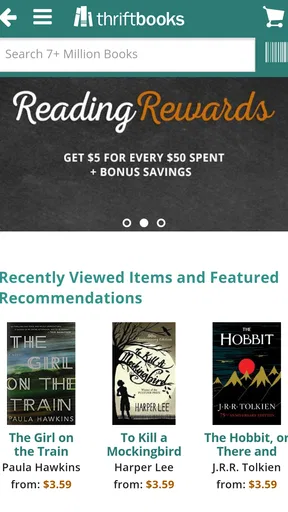
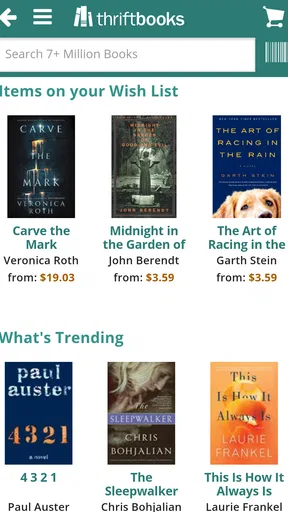
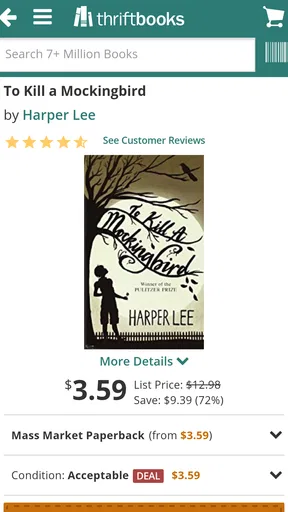
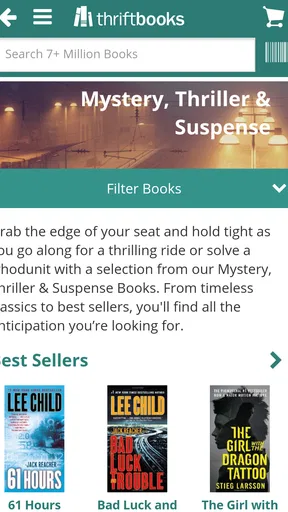
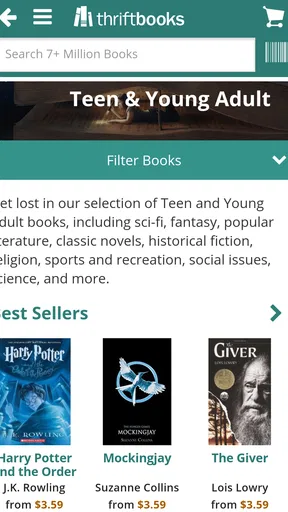
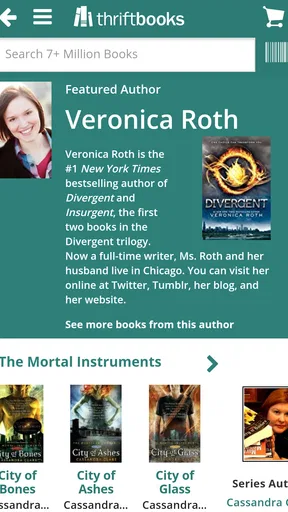
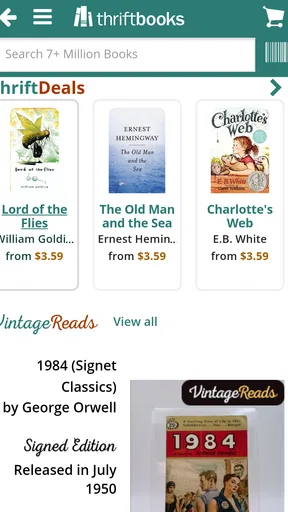
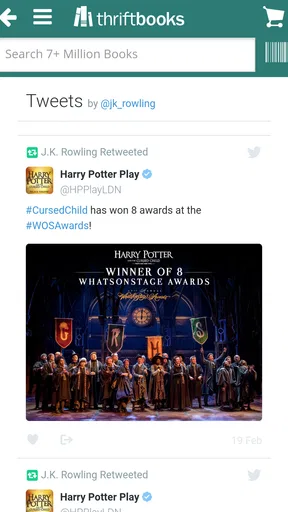
Our Review of ThriftBooks: New & Used Books
 Analysis by Appyee
I first looked at ThriftBooks: New & Used Books as a practical household shopping app rather than simply another book catalogue. That distinction matters. A reading app is usually personal, while this one can become a shared tool: one person searches for a novel, another looks for a school reference, and someone else checks whether an older favorite is available without paying full list price. In my experience, its value comes from making that kind of browsing easy on a phone, especially when the household is comfortable buying new and used books from the same place.
The app belongs in Books & Reference and is free to install. It is developed by Thrift Books Global, LLC., and its central purpose is straightforward: browse a very large selection of books and decide which editions or conditions fit your needs. The catalogue covers over 13 million new and used books, with possible savings of up to 80% off list price. I would not treat the advertised maximum as a promise for every title, but it does explain why the app is appealing to readers who are willing to compare condition and format instead of automatically choosing a brand-new copy.
How ThriftBooks Works in a Shared Household
When I think about using ThriftBooks across a household, the main question is how to keep shared book searches organized without turning every title into a group purchase. I’d agree on whose reading need comes first and what matters most for that book—edition, condition, or cost—before comparing options. That simple routine makes it easier to move from browsing together to choosing a sensible next step.
A useful phone-based book hunt
A realistic household example is a weekend reading search. One family member remembers the title of a mystery but not the author, a teenager needs a particular book for school, and another reader wants to replace a paperback damaged years ago. Rather than visiting several shops or opening unrelated marketplace listings, everyone can take turns searching in the same app. That shared browsing flow is where ThriftBooks feels most useful: it gives a household one place to investigate titles, compare available choices, and decide what is worth ordering.
I especially like this approach for people who buy books gradually. You can use a spare moment to look up a title, note whether the available copy seems suitable, and return to the decision later. It is less demanding than planning a full bookstore trip, and the broad catalogue makes it worthwhile for older, less popular, or out-of-print-looking titles. The app is not only for avid collectors; it also suits someone who has a short list of specific books and wants a cheaper route to finding them.
There is a trade-off, though. A large catalogue can make browsing feel more like research than casual shopping. If you already know the exact book you want, the process is focused. If you only want “something good to read tonight,” the app may require more patience than a recommendation-focused reading service. Its strength is discovery through titles and editions, not replacing a human bookseller who asks about your mood and immediately suggests three options.
Separating personal taste from household decisions
Shared-device use also changes how I would approach the app. A single phone may be used by several people, but each reader can still keep the browsing conversation clear by saying whose list a title belongs to before adding it to a household plan. That sounds simple, yet it prevents a common problem with shared shopping: one person assumes an item is a general purchase while another intended it as a personal choice.
I would use a short routine. First, search for the title and inspect the result carefully. Next, say whether the book is for an individual reader, a child’s schoolwork, or a shared shelf. Finally, agree on whether the priority is the lowest cost, a better condition, or a particular edition. This is more useful than treating every result as interchangeable. With used books, the cheapest copy may be perfectly acceptable for a quick read, while a collector or gift buyer may care much more about presentation.
That distinction is one of the app’s less obvious lessons: the best bargain depends on the purpose of the book. A household can save money by using different standards for different purchases. A temporary school read does not need the same condition as a favorite novel meant to be reread, and a gift should be judged more carefully than a personal paperback that will live beside the bed.
Setup without confusing account boundaries
When an app is used around a household, I prefer to establish boundaries before anyone starts shopping. ThriftBooks is easy to understand as a shopping and reference app, but the phone itself may be shared, so each person should know whose browsing session or purchase decision is active. If several people use one device, I would avoid leaving an unfinished order or a personal search open where another reader could mistake it for a family decision.
For a shared tablet, the practical rule is even clearer: use the app for research together, but pause before any final purchase step and confirm the intended reader. That small check helps with duplicate books, accidental choices, and disagreements over whether a title is appropriate for a particular age. It also keeps the app from becoming a silent source of household confusion. The catalog is broad enough that a quick search can produce several versions of a familiar title, so slowing down at the decision point is worthwhile.
I would also separate “want to read” conversations from “ready to buy” conversations. A teenager might find a book interesting, while an adult is still deciding whether it fits the household budget or purpose. The app works well for collecting possibilities, but the final decision should remain visible among the people sharing the device. This is not a criticism of the app; it is simply the difference between browsing a catalogue and managing a shared purchase.
Coordinating books without losing track
Coordination becomes important when several people search at once. My preferred workflow is to discuss titles in batches: first identify the books, then compare the available choices, and only afterward decide which ones belong in the order. Searching and buying simultaneously encourages impulse decisions, particularly when a low price makes an unfamiliar title feel impossible to pass up.
For households with different reading habits, grouping by purpose works well. Keep school or reference needs separate from leisure reading, and distinguish replacements from new additions. This makes the app more practical because the catalogue is serving several jobs at once. It also makes later conversations easier: if a book arrives and someone asks why it was selected, the reason is clear.
Another useful habit is to read the title information aloud when more than one person is involved. Book names can be similar, and a familiar author may have multiple works with related wording. On a small screen, it is easy to tap the first appealing result and move on. A second person confirming the author and intended use is a simple safeguard, especially when the book is for a class or when a specific edition matters.
ThriftBooks is also a good fit for a household that enjoys building a shared library slowly rather than making one large, carefully curated purchase. The app makes it natural to investigate individual titles as needs arise. The downside is that this style can become scattered if no one remembers what has already been bought. I would keep a basic household note outside the app for shared books, particularly when multiple users browse on different devices. That is not an advanced app feature; it is a practical workaround for keeping family coordination tidy.
Age context and trust
The app carries a Teen content rating, so I would treat it as suitable for older children and adults within the context of normal household supervision. That rating applies to the app experience, not as a guarantee that every book in a catalogue of this size is appropriate for every reader. A broad book marketplace naturally includes material for very different ages and interests. Parents and guardians should still discuss what younger readers are searching for and review individual titles when that matters.
This is where trust is more useful than pretending a shared device can solve every boundary automatically. I would not hand the app to a younger reader and assume that the catalogue itself will make all decisions. Instead, I would encourage independent searching for ordinary reading choices while keeping an adult involved in school purchases, mature subjects, and any order that affects the family budget.
For teenagers, the app can be a constructive way to practice choosing books within limits. They can compare a required title with optional reading, explain why condition matters, and learn that a lower price may involve accepting a used copy rather than receiving a pristine one. Those are real purchasing skills. The adult role is to make the boundary clear: browsing is not automatically permission to buy, and an interesting result is not automatically suitable.
Trust also applies to privacy within the household. People may have different reading interests, and not every search needs to become a family discussion. On a shared device, I would be considerate about leaving personal searches visible. If a phone is primarily one person’s device, other household members should ask before browsing or changing an unfinished session. The app can support shared discovery, but respectful device habits still matter more than any catalogue feature.
Where it beats ordinary alternatives
Compared with visiting a physical bookstore, the app is more convenient for checking a specific title across a large selection without leaving home. It is particularly helpful when the book is older, uncommon, or not something a nearby shop is likely to have on hand. A bookstore remains better when you want to inspect the actual copy, browse by atmosphere, or ask staff for a personal recommendation. ThriftBooks wins on reach and price hunting; the local shop wins on tactile confidence and human guidance.
Compared with a library app, the purpose is completely different. A library is usually the better choice when you only need to read something once and borrowing is available. ThriftBooks makes more sense when you want ownership, a personal shelf, a reference book you expect to revisit, or a title that you cannot conveniently borrow. I would not use a shopping app to solve every reading need when borrowing is the more economical answer.
Compared with general online marketplaces, the focused book catalogue is a real advantage. A household looking specifically for books does not have to filter through unrelated products. At the same time, a broad marketplace may offer more seller variety or unusual formats in some cases. I would choose ThriftBooks first for a straightforward book search, then consider another option if the exact edition, format, or condition is the central concern.
Practical trade-offs before ordering
The biggest limitation is that a used-book purchase requires more tolerance for variation than buying a new copy. If the book is intended as a gift, for a collection, or for a reader who dislikes marks and wear, I would be more cautious than when buying a casual paperback. The app is attractive because it opens the door to lower-cost choices, but saving money and getting a presentation-perfect copy are not always the same goal.
I would also avoid assuming that every search result represents the same reading experience. Different editions can have different covers, layouts, introductions, or supplementary material. For a novel, that may not matter much. For a textbook, workbook, annotated classic, or reference title, it can matter a great deal. My advice is to slow down whenever the reader needs a specific edition rather than merely the text itself.
Another trade-off is decision fatigue. A catalogue this large is excellent when a title is hard to find, but it can make a household order grow beyond the original plan. I find it helpful to decide on a purpose before searching: replace a lost book, complete a series, prepare for school, or choose weekend reading. That simple filter keeps the app useful instead of turning it into endless scrolling.
People who need instant access should also consider a digital reading service instead. ThriftBooks is for finding physical books, so it is not the right choice when the main goal is immediate reading on the phone. Likewise, someone who wants personalized recommendations, social reading activity, or a tightly managed children’s environment may prefer a different kind of app. This one is strongest when the user values selection, ownership, and the possibility of paying less for a physical copy.
Everyday workflow I would recommend
My household workflow would begin with a shared conversation, not with random browsing. Each person names the title or type of book they need, and the group decides whether the purchase is personal or communal. Then one person searches while another confirms the author, purpose, and acceptable condition. This keeps the app’s convenience while reducing the chance of selecting the wrong version.
For a school-related book, I would verify the exact title and edition requirements before choosing the cheapest option. For leisure reading, I would be more flexible and consider whether a used copy is good enough for the intended use. For a shared reference book, I would ask whether it will remain useful after the immediate need has passed. These questions take little time, but they turn a low-price search into a sensible household decision.
After browsing, I would leave a short note about which titles were approved, which were only possibilities, and who is responsible for the final decision. This is especially helpful when a family shares a tablet or when one person researches during the day and another completes the purchase later. The app supplies the catalogue; the household supplies the coordination system.
On the technical side, the current version is 2.3.12 and it requires Android 6.0 or later. That makes compatibility worth checking before planning to use it on an older device. The app has been available since February 27, 2017, and its reach is reflected in more than a million installs, while its average rating is 4.1 from roughly 4.7 thousand ratings and about 2 thousand written reviews. Those figures suggest an established service with meaningful user feedback, but I would still judge it by whether its catalogue and shopping style match your needs rather than by popularity alone.
Who should install it?
I would recommend it to readers who buy physical books regularly, families coordinating several reading needs, students looking for specific titles, and anyone willing to consider used copies in exchange for potential savings. It is also a strong option for people who know what they want but do not want to spend time checking multiple bookshops. The free price makes trying the app low-risk, although the eventual purchase decision still deserves the same care as any other shopping choice.
I would be less enthusiastic for someone who wants a polished browsing experience built around recommendations, immediate digital delivery, or a controlled children’s library. It is also not ideal for a collector who needs certainty about exact cover design, condition, or edition unless they are prepared to inspect the listing carefully. A local independent bookstore may be better for personal advice, and a library may be better for one-time reading.
My household verdict
After using ThriftBooks as a shared book-finding tool, I see it as a practical bridge between a bookstore visit and a general online marketplace. Its large selection gives households a realistic chance of finding both everyday reads and less common titles, while the new-and-used approach creates room to match the purchase to the purpose. I appreciate that it can support different readers without requiring everyone to have the same taste.
The app does require sensible boundaries. Keep personal browsing distinct from household decisions, confirm titles before buying, and remember that a low-cost used copy may not suit a gift or collection. Parents should treat the Teen rating as context rather than a substitute for checking individual books, and shared-device users should agree on who is browsing and who is approving the purchase.
My final recommendation is simple: install it if your household wants physical books and is comfortable making deliberate choices about title, edition, and condition. Skip it if you need instant digital reading, highly curated recommendations, or guaranteed presentation quality. For everyone in between, this is a useful, free app that turns book shopping into a manageable shared activity rather than a rushed search for the first available copy.
Privacy and Permissions
See what permissions an app requests and how it handles your data.
- Camera
- take pictures and videos
- Other
- view network connections, full network access, prevent device from sleeping
Verdict
Strengths of ThriftBooks: New & Used Books
- Large selection of new, used, and collectible books
- Used copies can offer significant savings over retail prices
- Book condition is clearly listed before purchase
- Rewards program helps frequent readers earn free books
- Search tools make it easy to find specific titles or authors
Limitations of ThriftBooks: New & Used Books
- Used book condition may vary more than some buyers expect
- Shipping times can be longer for certain titles or locations
- Some popular books may be temporarily unavailable
- International availability and shipping options may be limited
- Marketplace pricing can change as inventory is updated
Similar Picks in This Category
View All
Google Play Books & Audiobooks
Google LLC4.7

네이버 - NAVER
NAVER Corp.3.5

Wattpad - Read & Write Stories
Wattpad.com3.7

King James Bible - Verse+Audio
Ozion4.8

Bible Offline-KJV Holy Bible
Bíblia Offline4.9

Amazon Kindle: Reading App
Amazon Mobile LLC4.8
Frequently Asked Questions
What is ThriftBooks: New & Used Books, and how does it work?
ThriftBooks is a shopping app for discovering and ordering new and pre-owned books. You can search by title, author, ISBN, or category, compare available editions, check prices and conditions, and place an order directly from your phone. The app is especially useful for readers looking for discounted books, older titles, textbooks, and collectible or hard-to-find editions.
Are the books on ThriftBooks new or used, and can I choose the condition?
ThriftBooks offers both used and new books, depending on the title and edition selected. Used copies may show normal signs of previous ownership, and the condition can vary from acceptable to very good or similar classifications shown in the listing. Before ordering, review the edition details, format, condition information, and product description carefully so you know what to expect.
How much does shipping cost, and how long do ThriftBooks orders take to arrive?
Shipping costs and delivery times depend on factors such as your location, order size, shipping method, and whether items are available from different warehouses. Standard delivery is generally economical but may take longer than expedited services. The app displays applicable shipping information during checkout, while tracking details may become available after the order has been dispatched.
Does ThriftBooks: New & Used Books offer rewards or discounts for frequent readers?
ThriftBooks includes loyalty features through its ReadingRewards program, allowing eligible customers to earn points from qualifying purchases and redeem rewards when they reach the required balance. Promotions, bonus offers, and eligibility rules can change, so check the current terms inside the app. Rewards may also depend on account status, order conditions, and participating products.
Can I return a book or cancel an order placed through the app?
Return and cancellation options depend on the order status and ThriftBooks’ current policies. If you change your mind, check the order section as soon as possible because cancellation may only be available before processing or shipment. For damaged, incorrect, or significantly misrepresented items, contact customer support through the available help channels and provide the order information and relevant details.
